How to texture an STL file for 3D printing
An STL file stores only triangles. It has no colour and no UV map, so you cannot "add a texture" to the STL itself. What you can do: give the mesh a UV map, paint it, and save it in a format that carries colour.
The AI 3D Texturing Studio does the first two steps for you and saves a textured GLB. Below is what to do next, honestly, for each kind of printer.
What you need
- An STL (or PLY) file up to 60 MB
- 8 credits for Auto texture with 4 views (2 credits per view)
1Upload the STL
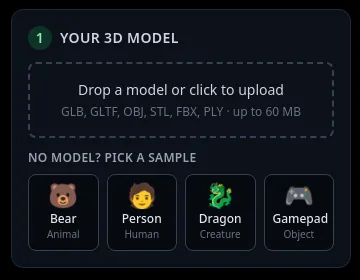
In box 1 Your 3D model, click Drop a model or click to upload and choose your .stl file. The file opens in your browser; it is not uploaded to our server. Only a picture of each view is sent to the AI when you paint.
Because STL has no UVs, the studio makes new ones and tells you in yellow: "STL/PLY files have no UV map, so new UVs were made. Download as GLB to keep the texture."
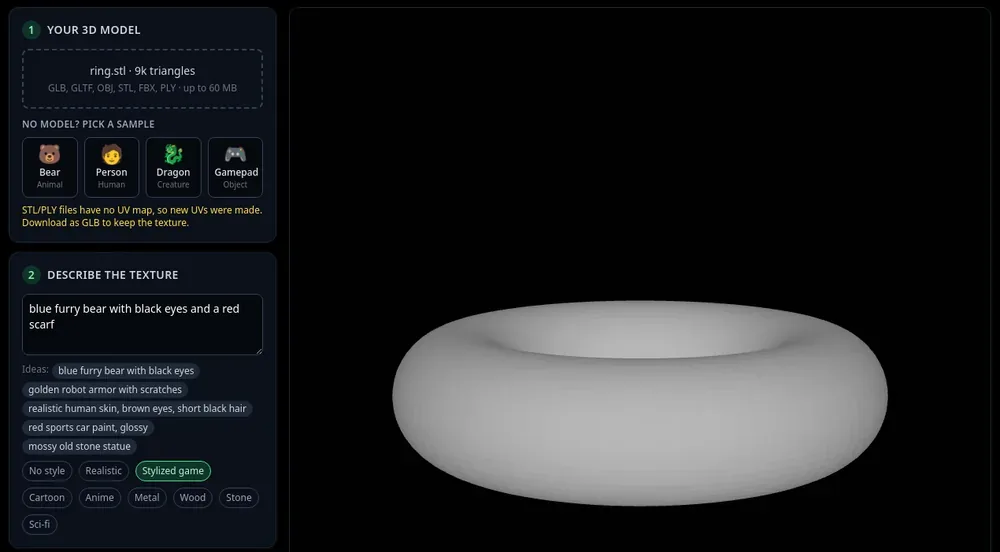
An STL opened in the studio. The yellow note confirms new UVs were made. 2Describe the colours and paint
Write the look in Describe the texture (for example "painted wooden ring, red and gold stripes"), pick a style if you like, and press Auto texture: 4 views (8 credits). A shape with a top or underside the four side views miss can use 6 or 8 views: see texture hidden areas.
Turn the model and use Paint this view (2 credits) for any side that needs more.
3Download the GLB, not the PNG
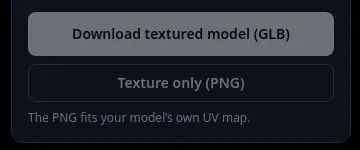
In box 5 Download, press Download textured model (GLB). For an STL the studio shows "This model got new UVs, so use the GLB (it carries them)." The PNG alone would not match your STL, because the STL file cannot store the new UVs.
4Convert the GLB to what your printer accepts
The studio downloads GLB (and PNG). It does not export 3MF, OBJ, VRML or coloured PLY. Most full-colour print services and printers ask for one of those, so check what yours accepts first.
To convert, open the GLB in Blender (File > Import > glTF 2.0) and export to the format your printer or print service asks for.
Tips
- Single-colour FDM printers cannot print a texture image. The paint is useful for previews, renders and games, not the print.
- Multi-filament FDM printers print a few filament colours by region, not a photo-like texture. Expect to reduce the texture to a handful of colours in your slicer workflow.
- Full-colour printing (for example binder jetting or colour resin services) is where a texture image prints as you see it. Ask the service which file format it needs.
- The studio never changes the shape, so the textured model is exactly as printable as your STL was.
Try it now
Upload your STL and press Auto texture.
Open the studioMore tutorials
 Download your textured GLB and use it in Blender, Unity, Unreal or GodotGLB vs PNG, and the exact import steps for each app.
 How to texture a 3D model with AIOpen a model, describe the look, press Auto texture, download.
- How to add a texture to a GLB file onlineFormats, size limit, and what you keep when you download.