A Meshy AI Alternative for Sketches, Photos and Text
Meshy is a strong, full-featured 3D AI suite. The3DAI is a simpler and cheaper way to turn a sketch, a photo or a sentence into a 3D model you can download as GLB or STL. Here is an honest side-by-side, including the things Meshy does better.
The3DAI vs Meshy
Meshy prices and features as of October 2026, from meshy.ai/pricing and Meshy's API price list. Check their site for current numbers.
| Feature | The3DAI | Meshy | Ahead |
|---|---|---|---|
| Cheapest paid plan | Basic: $19/month for 1,000 credits; new accounts pay $4.99 for the first month | Pro: $20/month for 1,000 credits (as of October 2026) | The3DAI |
| Other plans | Studio $29/month (3,500 credits), Pro $149/month (18,000); yearly billing is cheaper | Studio $60/month and Enterprise (custom) (as of October 2026) | Depends |
| Pay as you go | No one-time packs: credits come with a monthly or yearly plan you can cancel any time | Extra credits can be bought on the Pro and Studio plans | Meshy |
| Free start | 20 free credits for new accounts | Free plan with 100 credits a month; free-plan models are licensed CC BY 4.0 (credit Meshy when you use them) | Meshy |
| Credits per model | Text to 3D: 15 credits. Image to 3D: 20 credits | API price list: 20 credits for a mesh, 30 with a 2K texture on Meshy 6 / 7.1; 5 to 15 on lite models (as of October 2026) | Depends |
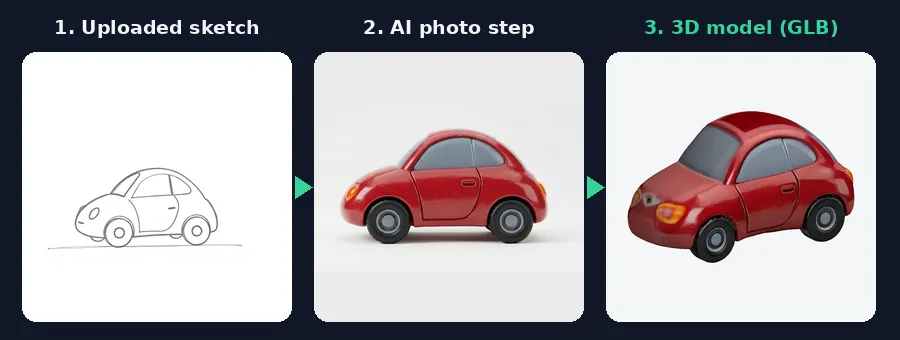
| Sketch and drawing to 3D | Sketch to 3D for an uploaded drawing, plus Scribble to 3D with a canvas to draw on in the browser | Sketch to 3D by uploading a sketch image | The3DAI |
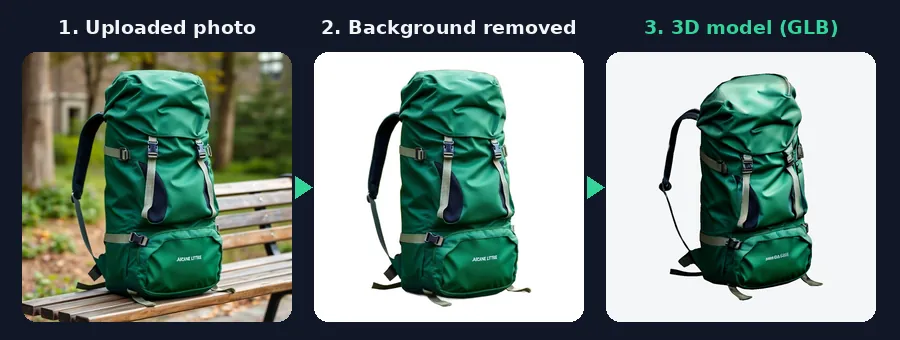
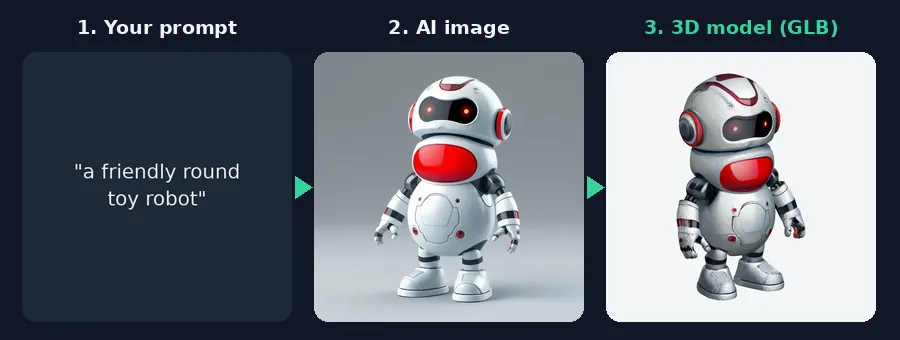
| Text and image to 3D | Yes | Yes, plus multi-image to 3D | Meshy |
| Edit or restyle a model | Edit 3D Model with AI | AI texturing and retexturing of uploaded models | Depends |
| Rigging and animation | Not offered | Auto-rigging and a library of animations | Meshy |
| Textures | Textured GLB | PBR textures, up to 8K in the API | Meshy |
| Downloads from the generator | GLB and STL | FBX, OBJ, USDZ, GLB, STL and BLEND | Meshy |
| Free file converters and viewers | 45+ in-browser tools (GLB to FBX, OBJ to STL, STEP viewer, STL to 3MF and more); files are not uploaded and no credits are used | Format conversion is a post-processing step inside Meshy | The3DAI |
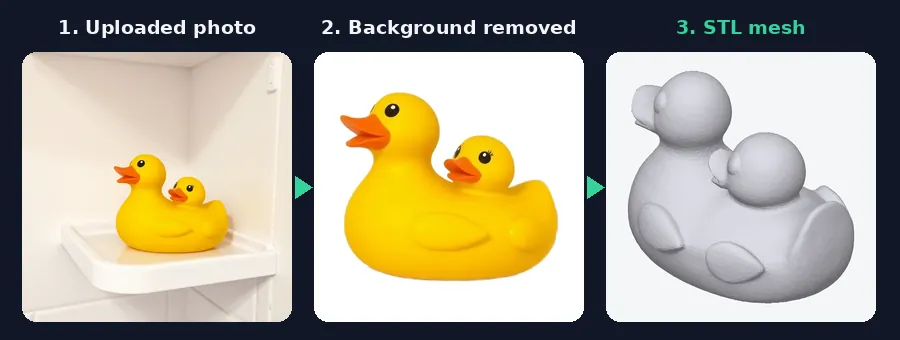
| 3D printing | STL download on every generator, STL landing pages with slicer steps, free STL scaling, size reduction and volume tools | A full print suite: printability check, repair, multi-color printing and slicer integrations | Meshy |
| API and plugins | No public API | API, plus Blender and Unity plugins | Meshy |
Which one should you pick?
Pick The3DAI if
- You start from a drawing, a doodle or a product sketch and want a 3D model from it.
- You want a low entry price: $4.99 for your first month of Basic (1,000 credits), then $19 a month.
- You need a printable STL or a quick file conversion, and you like free tools that run in your browser.
- You make a few models a month and do not want to pay for capacity you will not use.
Pick Meshy if
- You need rigged, animated characters for a game or a video.
- You need high-resolution PBR textures or FBX, USDZ and BLEND straight from the generator.
- You want an API or a Blender or Unity plugin in your pipeline.
- You print often and want printability repair and multi-color printing built in.
Real 3D models made on The3DAI
Real runs of our generators on our own test inputs (pictures and sketches made with AI, no customer uploads). Each strip shows what went in, the image the AI works from, and the 3D model it built. One try each.
Other Meshy alternatives to compare
Prices as of November 2026, from each tool's own pricing page. Each link opens our side-by-side page for that tool.
- Tripo AI alternative
Image and text to 3D with a free plan of 200 credits a month (public models, no commercial use). Pro is $20 a month for 3,000 credits.
- Rodin (Hyper3D) alternative
High-quality models from images or text in about 4 to 80 seconds. Creator is $30 a month for about 60 models.
- Hunyuan3D alternative
Tencent's 3D models as a cloud API for developers: 200 free credits, then $15 per 1,000 credits.
- 3D AI Studio alternative
A browser platform whose plans include several 3D models, Meshy among them. Basic is $19 a month for 1,000 credits.
- Hitem3D (Hi3D) alternative
Image to 3D with tools for 3D printing. Its free plan has 100 credits and no model downloads.
Want them all in one table? See the best image to 3D AI tools compared.
How to start on The3DAI
- 1
Pick a generator
Sketch to 3D for a drawing, Image to 3D for a photo, Text to 3D for a description.
- 2
Use your free credits
New accounts get 20 free credits: enough for one model before you decide on a plan.
- 3
Generate and inspect
Most models are ready in a few minutes. Rotate the result in the viewer before you download.
- 4
Download or convert
Download GLB or STL. Need FBX, OBJ or USDZ? Use our free converters, which run in your browser.
Start with a generator
Text to 3D uses 15 credits and Image to 3D uses 20. Basic is $19 a month for 1,000 credits, and new accounts pay $4.99 for the first month. See the pricing page for every plan.