Lesson 4 of 12 · Beginner
How to make a 3D model from text with AI
Text to 3D turns a written description into a 3D model. It is the fastest way to get a prop, a toy, a game asset or a print idea when you have no photo and no 3D skills.
This guide uses Text to 3D on the3dai.com. One model costs 15 credits, and new accounts start with free credits.
What you need
- An idea for one object
- A free the3dai account
1Write a short, concrete prompt
Describe one object: what it is, its main shape, material and colours. For example: "a small cartoon owl standing on a tree stump, brown feathers, big yellow eyes".
Leave out backgrounds, camera words and long stories. The AI builds an object, not a scene.
2Generate the model
Open Text to 3D, type your prompt in the Prompt box (Write your prompt) and press Generate 3D Model.
The Generator Seed sets the random start. Keep the same seed to change only the prompt; change it to get a different take on the same prompt.
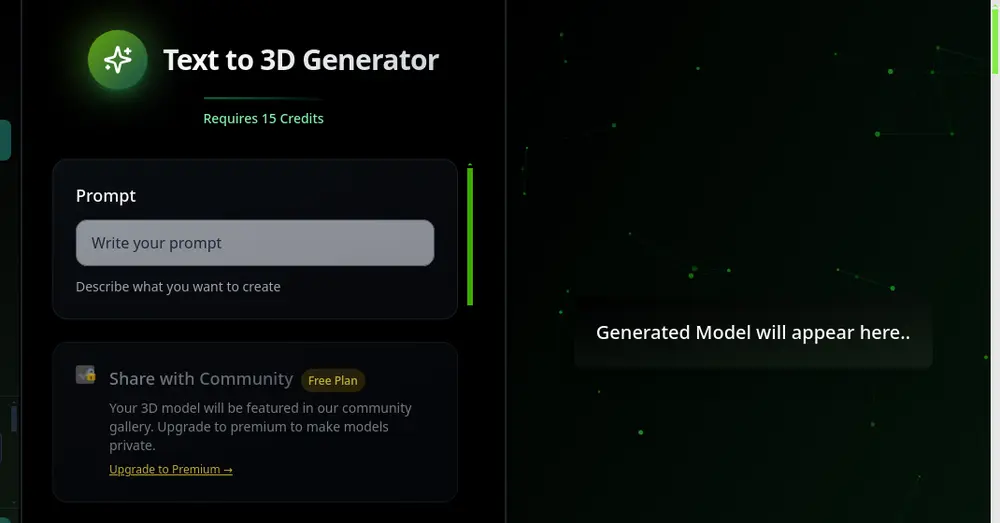
Text to 3D: prompt, seed, 15 credits per model. 3Refine and download
Turn the model in the viewer. If a detail is wrong, add it to the prompt in plain words and generate again.
Download a GLB for games, AR and Blender, or an STL to 3D print it.
Tips
- Have a sketch instead? Sketch to 3D and Scribble to 3D start from a drawing.
- Next step: give it new colours with AI texturing.
Try it now
It is free and runs in your browser.
Open Text to 3D